
Catta Zoom series
Flange Back Adjustment
DZOFILM will check and adjust flange back distance of all CATTA zoom lenses before shipping. But the flange back distance might have slight difference among different cameras. To achieve the best performance and match different cameras, flange back adjustment is needed.
1.Preparation
Step One : Ready your subject. You can use a "Star Chart", or other high-resolution black-and-white objects;
Note : You can download and print the chart on DZOFILM website-Download-Star Chart for Adjusting Back Flange(Click to jump to the website)
Step Two : Attach the lens to the camera;
Step Three : Select the maximum aperture (wide open);
Step Four : Set the object 1.5m away from the camera sensor plane, and adjust it to the center of the whole image.
2.Flange Back Adjustment
Step One : Rotate the zoom ring to the longest focal length, and rotate the focus ring until the image to its clearest, mark down the focusing distance S1;
Step Two : Rotate the zoom ring to the widest focal length and rotate the focus ring until the image to its clearest, mark down the focusing distance S2;
Step Three : Compare the difference between S2 andS1. If S2<s1, then="" need="" to="" add<="" p=""></s1,> shims; otherwise decrease the shims, Note : The shim adjustment is evaluated on the angle between S2 and S1. If the angle is bigger, then need to change more shims and vice versa.
Step Four : Repeat step1-2 until S2=S1. Then it means the lens in under parfocal.
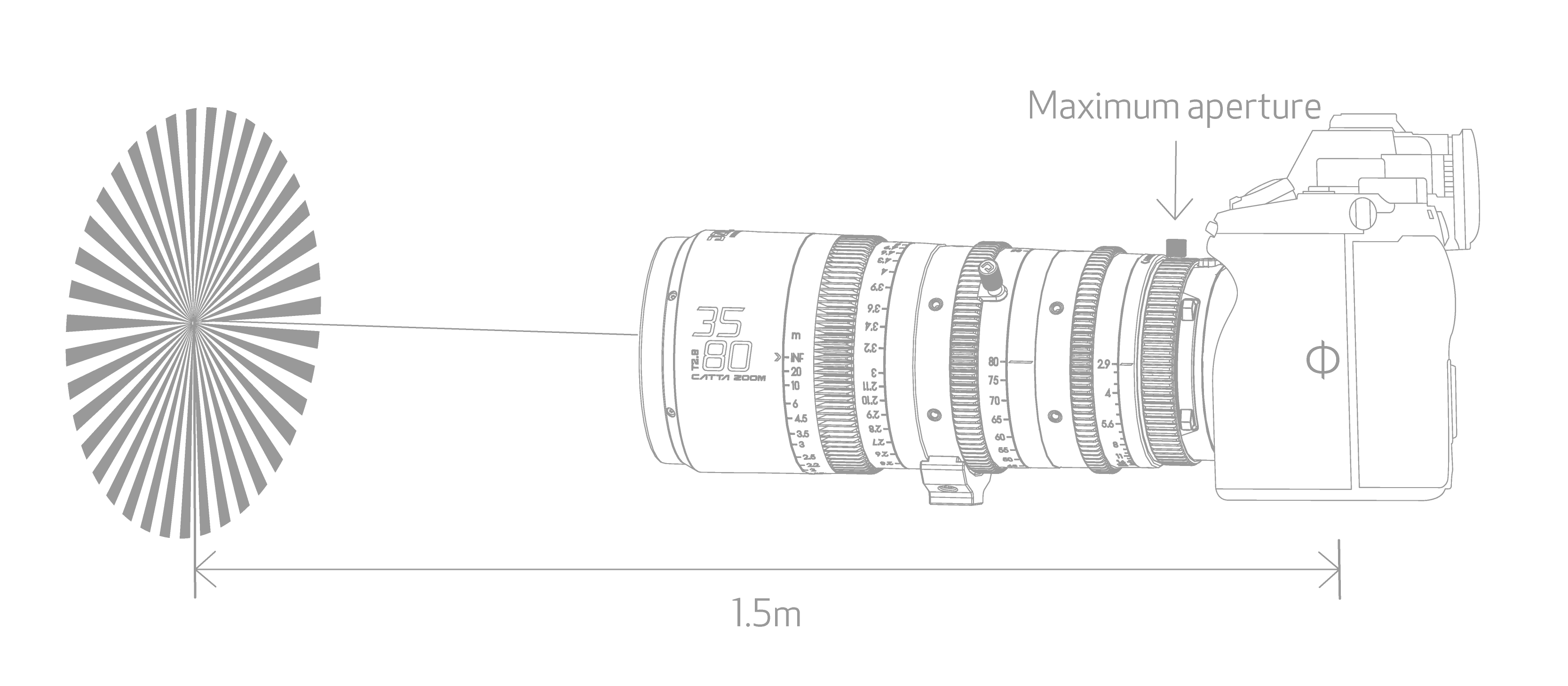
Set the object 1.5m away from the camera sensor plane, and adjust it to the center of the whole image.
Take CATTA zoom 35-80mm as an example:
Rotate the focal length to 80mm, and focus till the image is at its sharpest, the focusing distance mark is 1.5m (S1). And then rotate the zoom ring to 35mm, re-focus to the image at its sharpest, current focusing distance mark is 1.4m (S2).S2
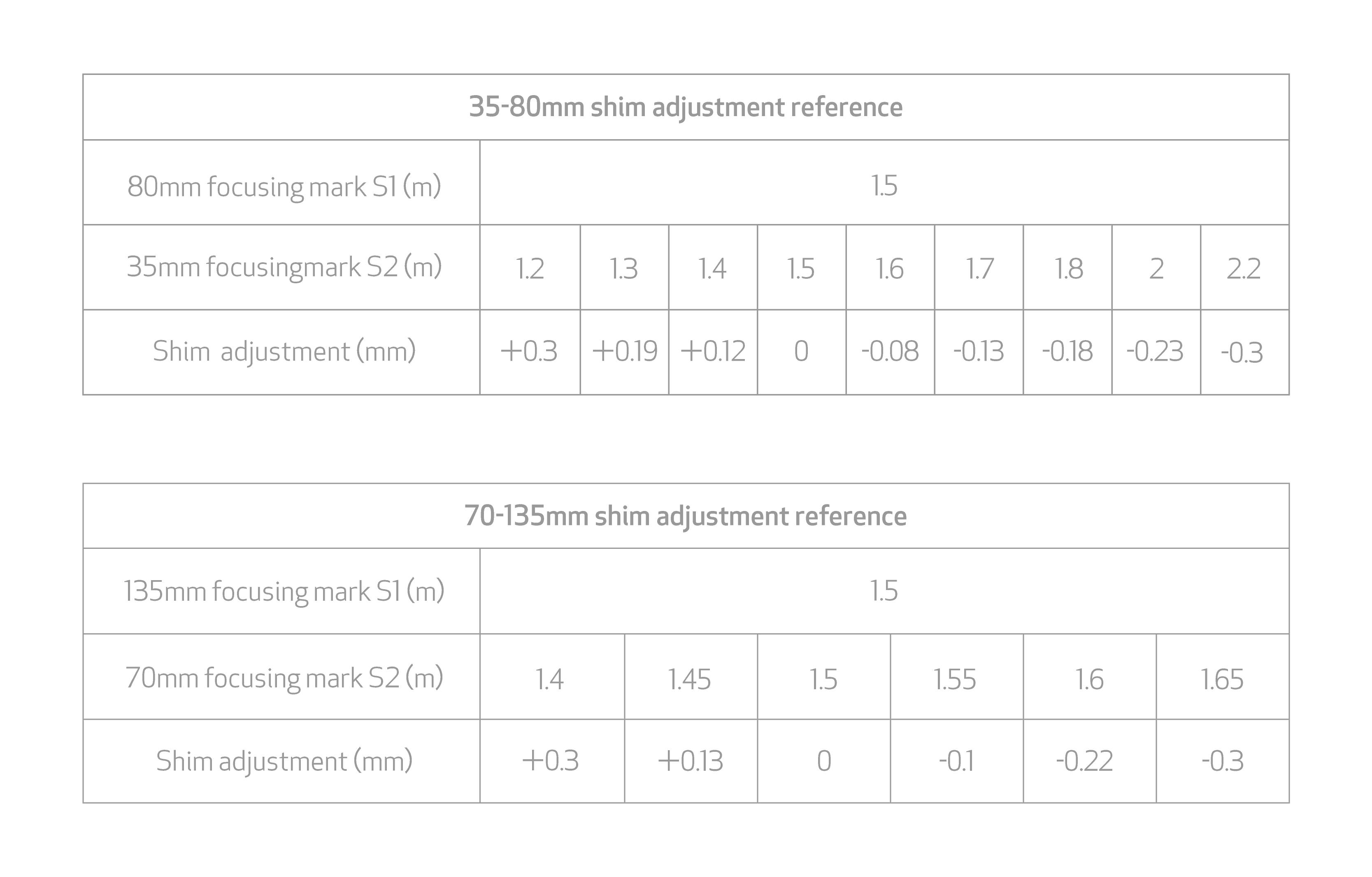
Note: Shim adjustment: "+" means adding shims, and "-" decreasing shims.